Posts

Writing to external SD card in Android 5.0 and above

Android: EACCES (Permission denied) Writing files in Android system is easy with respect to internal storage, but when it comes to writing in external removable storage it may be a problem after android 4.4 release. Apart from android 6 permission we need to gain permission to write in external removable storage, as it can throw a EACCES (Permission denied) Error even if android.permission.WRITE_EXTERNAL_STORAGE is granted. So the following code will ensure that you can write in External media with the necessary permission apart from android.permission.WRITE_EXTERNAL_STORAGE. Call the following function to open the system dialog to gain access with external removable storage. Intent intent = new Intent(Intent.ACTION_OPEN_DOCUMENT_TREE); startActivityForResult(intent, 42); also the Activity Result Listener as follows: @Override     public void onActivityResult(int requestCode, int resultCode, Intent data) {     ...

Get IP address of WIFI or Hotspot in Android

Image
The following function will get your job done public String getWifiApIpAddress() {     try {          for (Enumeration<NetworkInterface> en = NetworkInterface.getNetworkInterfaces(); en.hasMoreElements();) {           NetworkInterface intf = en.nextElement();                 if((intf.getDisplayName().toLowerCase().contains("wlan")||intf.getDisplayName().toLowerCase().contains("ap"))) {                 for (Enumeration<InetAddress> enumIpAddr = intf.getInetAddresses(); enumIpAddr.hasMoreElements();) {                     InetAddress inetAddress = enumIpAddr.nextElement();        ...

Add/Set array in Firestore with the Firebase Admin SDK : Python 🐍

Image
The Admin SDK lets you interact with Firebase from privileged environments to perform actions like: ·          Read and write Realtime Database data with full admin privileges ·          Programmatically send Firebase Cloud Messaging messages using a simple, alternative approach to the FCM server protocols. ·          Generate and verify Firebase auth tokens. ·          Access Google Cloud Platform resources like Cloud Storage buckets and Firestore databases associated with your Firebase projects. ·          Create your own simplified admin console to do things like look up user data or change a user's email address for authentication. Currently Node.js, Java, Python, Go, C# are supported languages in Admin SDK. This tutorial demonstrates addin...

Add/Set collection in Firestore with the Firebase Admin SDK : Python 🐍

Image
The Admin SDK lets you interact with Firebase from privileged environments to perform actions like: ·          Read and write Realtime Database data with full admin privileges. ·          Programmatically send Firebase Cloud Messaging messages using a simple, alternative approach to the FCM server protocols. ·          Generate and verify Firebase auth tokens. ·          Access Google Cloud Platform resources like Cloud Storage buckets and Firestore databases associated with your Firebase projects. ·          Create your own simplified admin console to do things like look up user data or change a user's email address for authentication. Currently Node.js, Java, Python, Go, C# are supported languages in Admin SDK. This tutorial demonstrates adding collection in Fires...

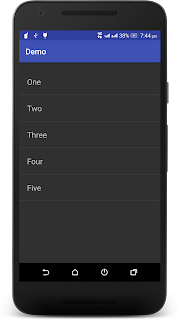
Android list view demo.

Image
Android listview demo Listview provides a way to display several items in a vertical scrollable list. It can be achieved by using a ListView and an ArrayAdapter. Following are steps that demonstrate list view in android. Steps to create Android Studio project: Open Android Studio. Click on Start a new Android Studio project. Enter your Application name. Select Minimum SDK version of your android app as 2.3.3 or you can select any other that suites your app. Select the type of Activity as Empty Activity. Next rename the Main activity or leave it as default. Steps to implement Listview in android project: In your MainActivity type the following code: import android.support.v7.app.AppCompatActivity; import android.os.Bundle; import android.widget.ArrayAdapter; I mport android.widget.ListView; public class MainActivity extends AppCompatActivity {     String[] list_items = { "One" , "Two" , "Three" , "Four...